
If you’ve been researching how to run backing tracks live, you’ve probably run into Ableton Live.
And you’ve probably also seen people say it’s overkill.
In a very literal sense, that’s true. If all you want is to press play on stereo tracks and a click, Ableton can feel like more software than you need.
So the real question isn’t “Can Ableton run backing tracks live?”
It’s whether starting with Ableton actually makes sense for the kind of musician you’re trying to become.
The Real Problem Isn’t Too Much Software
Most musicians don’t struggle with Ableton because it does too much.
They struggle because they try to build a full backing track rig before understanding what their live setup actually needs to do.
Ableton feels overwhelming when:
- You copy someone else’s touring-level playback session
- You add automation and MIDI immediately
- You don’t understand how your audio is routed
Ableton feels manageable when:
- You give it one job at first: play backing tracks live
- You ignore features you don’t need yet
- You build your backing track rig in stages
The problem isn’t Ableton. It’s skipping the fundamentals.
What You Actually Need to Run Backing Tracks Live
To run backing tracks live in Ableton, you only need a few things:
- Stable and Reliable audio playback
- Separate outputs for backing tracks and click
- A simple way to start and stop songs
- A system you can rehearse with consistently
Ableton Live can do all of this with a very basic setup.
You don’t need automation.
You don’t need MIDI switching.
You don’t need timecode or loops.
Ableton doesn’t force complexity, it just leaves room for it later.
Why Ableton Still Makes Sense for Live Backing Tracks
Even when it feels like more than you need, Ableton quietly solves problems before they show up.
One of the biggest advantages of using Ableton for backing tracks is that you don’t have to rebuild your rig as your needs grow.
Many musicians start with a simpler playback tool and eventually outgrow it. When that happens, they’re forced to migrate sessions, relearn workflows, and reconfigure hardware, often right before shows.
Starting with Ableton lets you begin simply while keeping a clear upgrade path for your live backing track setup.
Ableton Is a “Dress for the Job You Want” Choice
Choosing Ableton for live backing tracks is a bit like dressing for the job you want, not the job you have.
It doesn’t mean you’re pretending to be a touring act. It means you’re choosing tools that support consistency and preparation.
Most musicians researching Ableton and backing tracks aren’t casually curious. They’re:
- Playing to a click live
- Wanting tighter, more repeatable sets
- Thinking about reliability instead of luck
Ableton fits that mindset.
You’re not choosing Ableton because you need everything it offers today.
You’re choosing it because it supports where your live performance is headed.
Ableton Was Designed for Live Performance
Ableton Live wasn’t built as a studio-first DAW that happens to work on stage.
Session View, clip launching, and flexible routing exist specifically for live performance. Even a simple Ableton backing track rig benefits from that design when:
- A song needs to be restarted
- A set list changes mid-rehearsal
- Something unexpected happens on stage
Those moments are where simpler tools often fall apart.
What About the Price of Ableton?
Cost is a real factor when you’re building a backing track rig.
Ableton isn’t the cheapest option, but it’s important to understand that you’re not paying for features you have to use.
You’re paying for headroom.
Ableton Intro is often enough to run backing tracks live at a basic level. And when you outgrow it, upgrading doesn’t mean rebuilding your entire setup from scratch.
Ableton isn’t the cheapest way to play backing tracks, but it’s often the cheapest way to avoid starting over, not only in terms of money, but your time as well.
Overkill Isn’t The Problem You Think It Is
Using Ableton doesn’t mean you have to justify it by using every feature.
Read that again, slowly. Now read it one more time.
Ableton can simply be:
- A backing track player
- A click track generator
- A clean audio routing tool
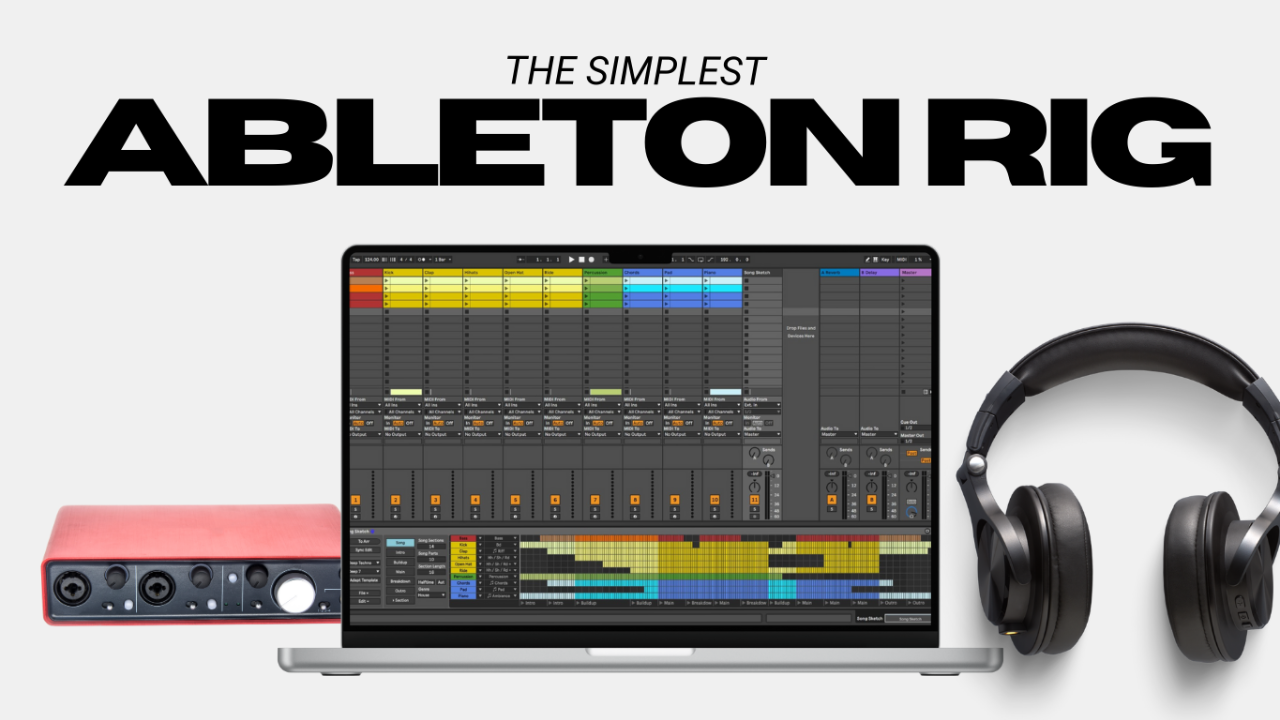
Nothing more. A simple Ableton backing track rig is still a valid Ableton rig.
I come from a world where guitar players love to buy the biggest fanciest pedal to do one or two things, then notoriously sell it and buy something cheaper because they “couldn’t justify the unit” because they only used it for those one or two things.
This is the completely wrong attitude, especially when it comes to something like Ableton. The problem was never the pedal, the pedal does what you wanted it to do. The actual problem was how you think about the pedal.
The best part about this being the real problem is that you can change the way you think about it.
This goes for Ableton as well.
How to Start Using Ableton for Backing Tracks (Without Overcomplicating It)
If you decide to use Ableton to run backing tracks live, start with the most boring version possible:
- One session
- One backing track
- One click track
- Manual song starts
That’s enough.
This approach avoids most of the frustration people associate with Ableton and sets you up for growth later.
Final Thought
Ableton might be more than you need on day one.
But for musicians who care about consistency, preparation, and long-term growth, it’s often the most forgiving place to start.
It lets you run backing tracks live simply now, and expand without rebuilding everything later.
Want a clearer way to approach backing tracks and Ableton from the start?
The Pro-Level Playback Rig Roadmap outlines a pro-minded approach, with gear guidance and troubleshooting tips to help you build with confidence. Download it right now to get started the way the pro’s do.
Author